Back to Home
Create Equipment
Learn how to add new rental equipment to your inventory. This demo walks you through the complete process of listing equipment with pricing, delivery, photos, and specifications.
Interactive Demo
Step-by-step
- 1
Open Add Equipment
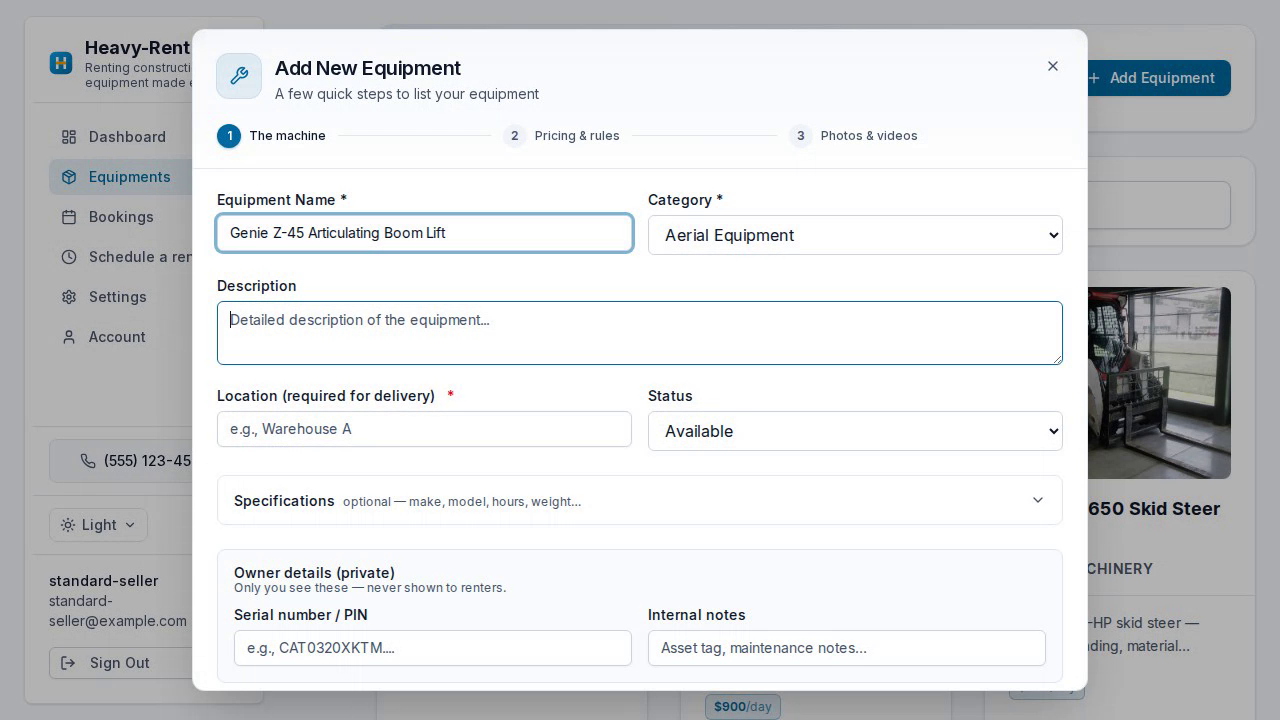
From your dashboard, go to Equipment and click Add Equipment.
- 2
Describe the machine
Enter the name, category, location, and an optional description.
- 3
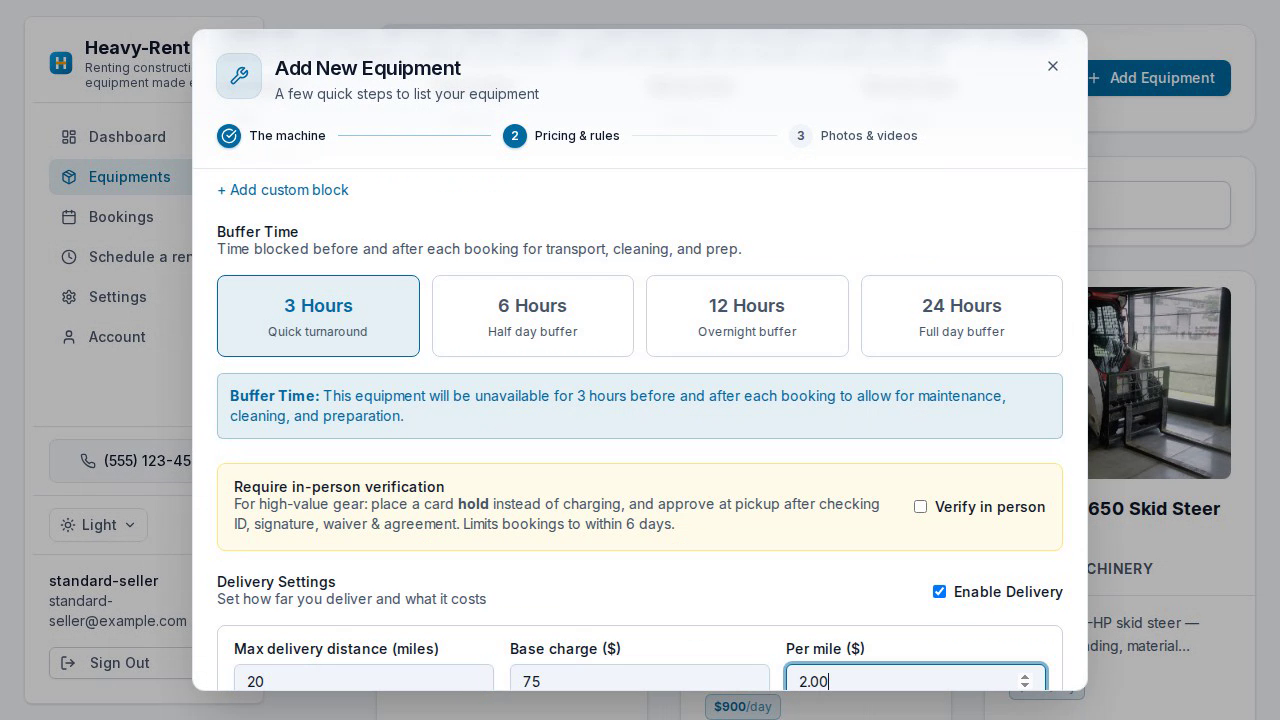
Set pricing & buffer
Add a daily rate (plus optional hourly, weekly, or monthly) and a buffer time between rentals.
- 4
Configure delivery
Turn on delivery and set your range and pricing — here, a 20-mile radius at $2.00 per mile plus a base charge.
- 5
Add photos & publish
Upload photos, then click Done. Your equipment is live and bookable.
Ready to get started?
Put your rentals online with your own branded booking site — free to start, no monthly fee.