
Back to Home
POS Walk-in System
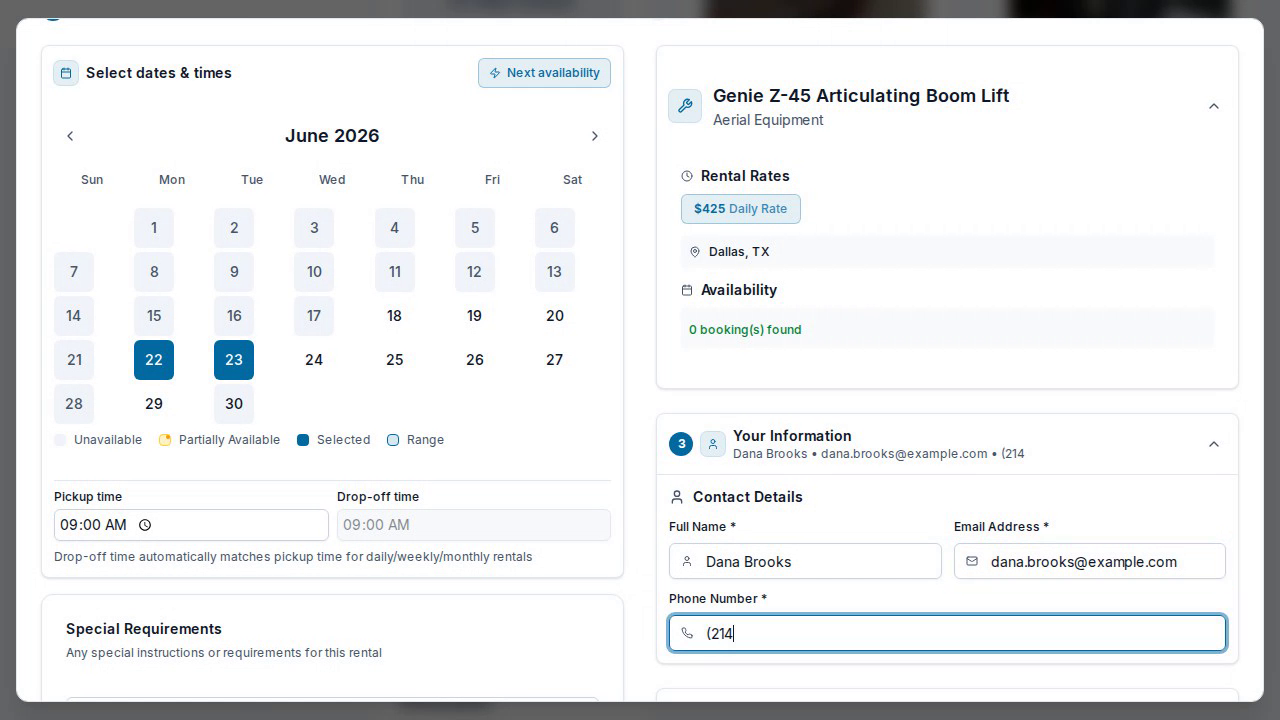
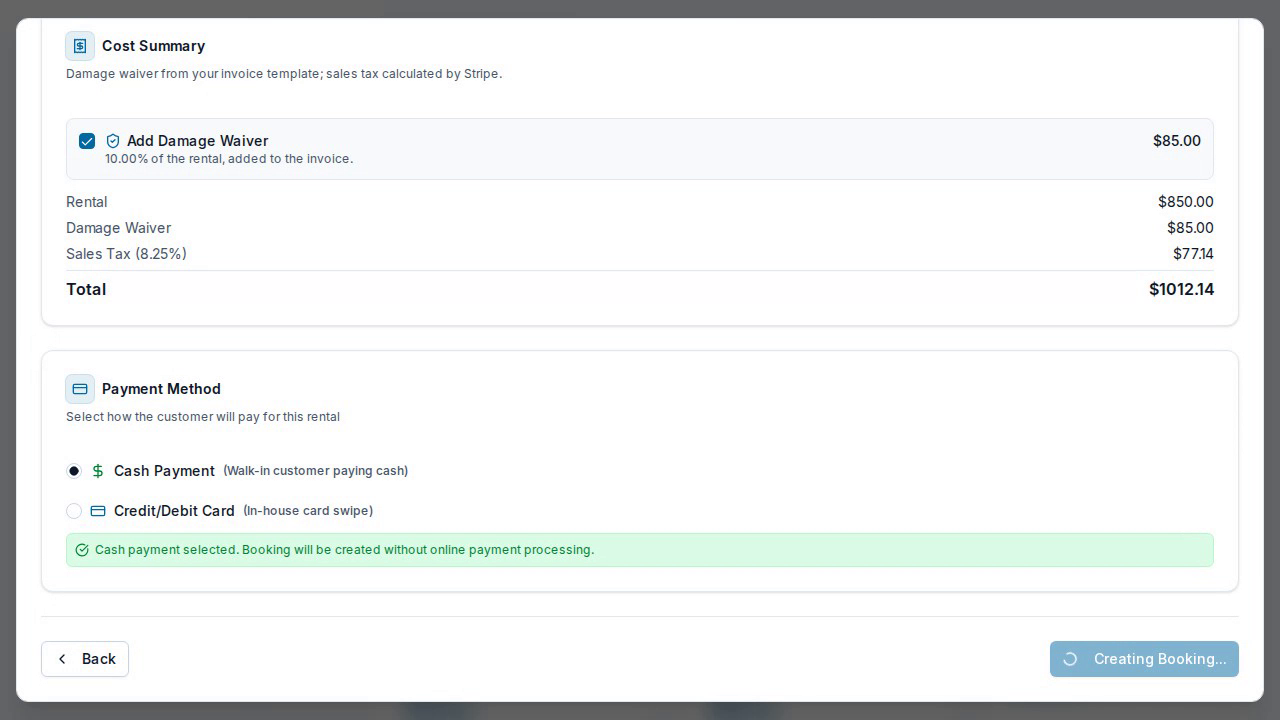
Process walk-in customers quickly with our point-of-sale system. Pick equipment, capture customer details, take cash or card, and book against the same calendar as your online rentals.
Interactive Demo
Step-by-step
- 1
Open Schedule a Rental
From the dashboard, pick the equipment a walk-in customer wants.
- 2
Set dates & times
Choose the rental window — availability and buffer times are enforced.
- 3
Capture the customer
Enter the walk-in's name, email, and phone.
- 4
Take payment
Choose cash or in-house card; the total includes any damage waiver and tax.
- 5
Create the booking
Confirm and it lands on your calendar — the same inventory as your online bookings, so nothing double-books.
Ready to get started?
Put your rentals online with your own branded booking site — free to start, no monthly fee.