Back to Home
Waivers & Agreements
Create professional rental agreements and liability waivers. Customize templates with your business details and required clauses, then collect digital signatures.
Interactive Demo
Step-by-step
- 1
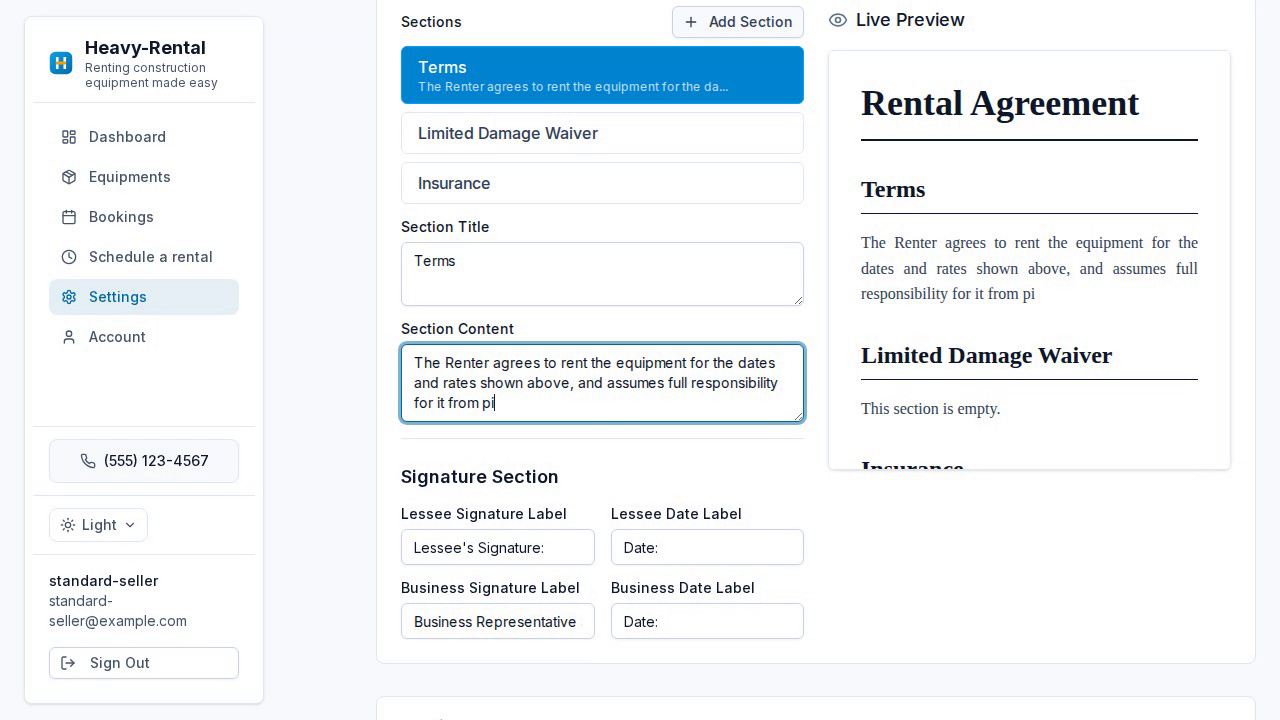
Open the agreement editor
In Settings, find the Rental Agreement Template.
- 2
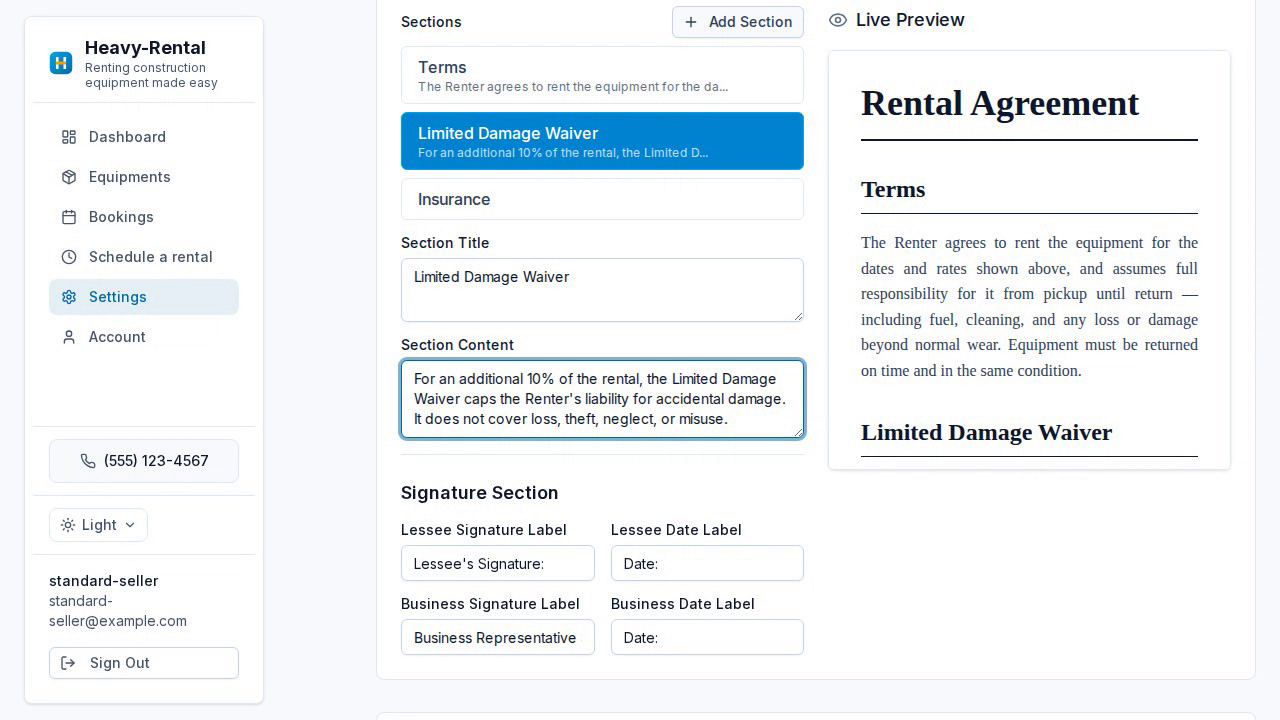
Customize your clauses
Add, remove, and edit sections like liability, the damage waiver, and insurance.
- 3
Set signature lines
Label the lessee and business signature and date fields.
- 4
Preview live
Watch the formatted agreement update as you type.
- 5
Save
Save the template — it's attached to every booking for digital signing.
Ready to get started?
Put your rentals online with your own branded booking site — free to start, no monthly fee.